Run Your Whole Amazon Business From One Screen
Stop chasing answers across 15 Google Sheets. AMS Software puts product research, ASINs, POs, shipments, invoices, and your team's tasks in one connected dashboard — synced from your own Seller Central account over the official Amazon SP-API.
From $69/mo · 7-Day Free Trial (AMS Software, new accounts) · Minimum 2-month commitment
The difference is night and day.
Spreadsheets + scattered tools
- Open 4 sheets to answer "where is this PO?" — and they still disagree
- Inventory and sales live in Seller Central; you re-type or CSV-export to plan
- Each VA edits a personal fork; statuses drift apart
- "What's my real status?" means an hour of digging
- A different point tool for research, POs, and shipments — none connected
With AMS Software
- One PO record with status: ordered, paid, shipped, received
- Inventory, orders, and listings sync from Seller Central
- One shared workspace where every task and status is the same for the whole team
- A business dashboard that answers it at a glance, plus a daily/monthly sales view
- Research, ASINs, POs, shipments, and invoices in one connected system
Up and running in 3 steps
Step 1
Start your free trial
7-day free trial for new customers — no charge during the trial.
Step 2
Connect your Amazon account
Securely link Seller Central via the official SP-API — we never see your password.
Step 3
Get hours back
Stay organized, stop firefighting, and focus on growing your store.
What you get
Product Research Tracking
Keep every product you're evaluating in one pipeline instead of a sheet you forget to update — so promising ASINs don't fall through the cracks.
ASIN Management
One record per ASIN with its costs and details attached, so the whole team works from the same numbers — not five forked copies.
Purchase Order Tracking
Every PO has a status you can actually trust — ordered, paid, shipped, received — so "where is this PO?" takes seconds, not an hour.
Shipment Tracking
See what's inbound and where it is, so a reorder never silently fails to get onto a shipping plan and quietly drains your stock.
Invoice Management
Keep supplier invoices tied to the POs and products they belong to, instead of hunting through email and a payments tab.
Team Task Management
Assign work in the same place the data lives, so your VA and you are always looking at one shared, current status.
Business Dashboard + Sales view
A single screen for the state of your operation, plus a post-login Sales Dashboard with daily and monthly sales pulled from Seller Central.
Inside the AMS app.
The six pillars of Amazon operations — from research to delivery, in one workspace. Less spreadsheet juggling, fewer manual handoffs.
Lead & Sourcing
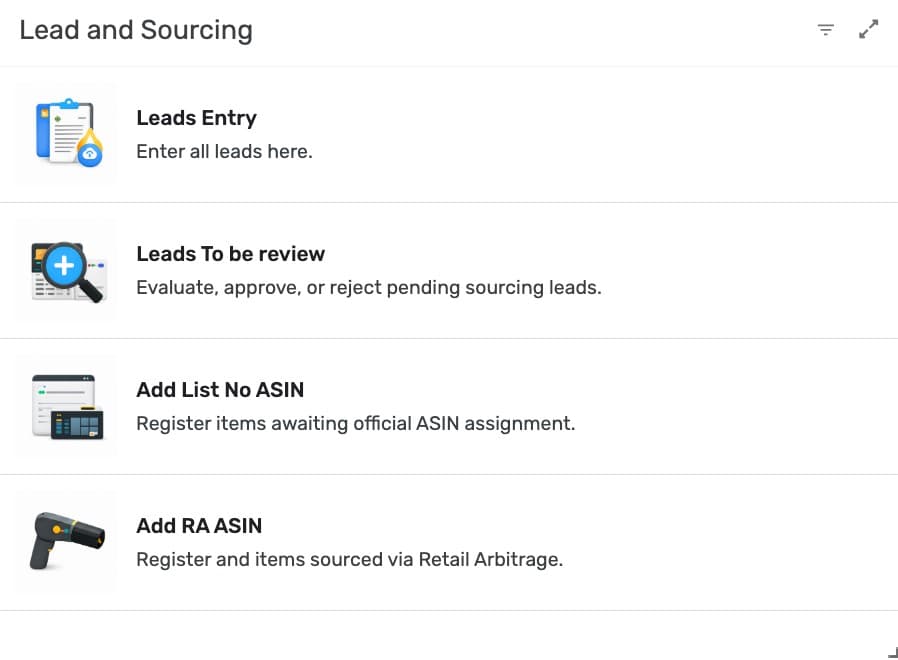
Discover and evaluate new product opportunities. Track sourcing progress from research to approval.
Catalog
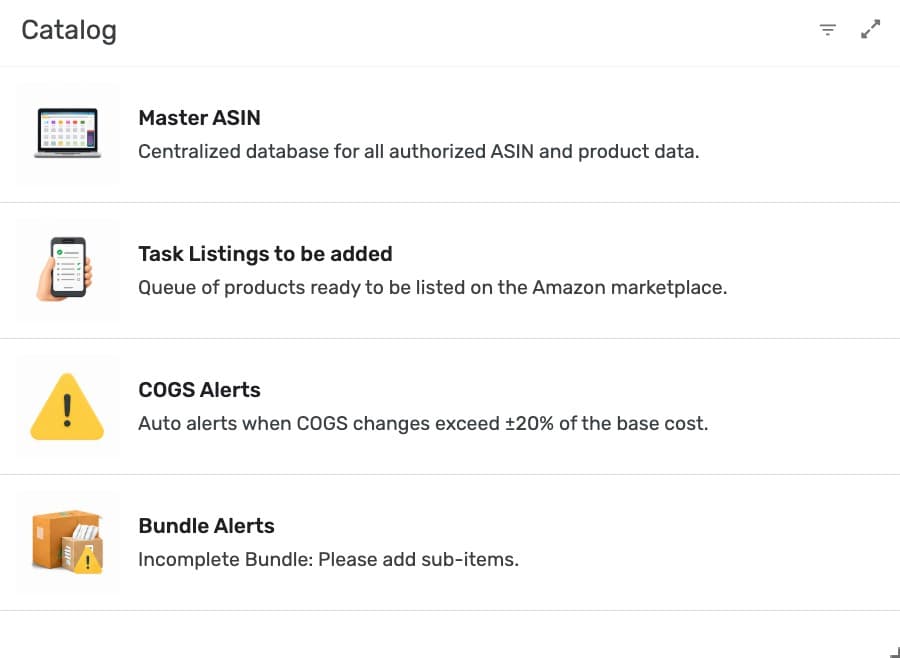
Organize product listings, maintain item cost records, and keep your catalog data accurate for daily operations.
Buying Management
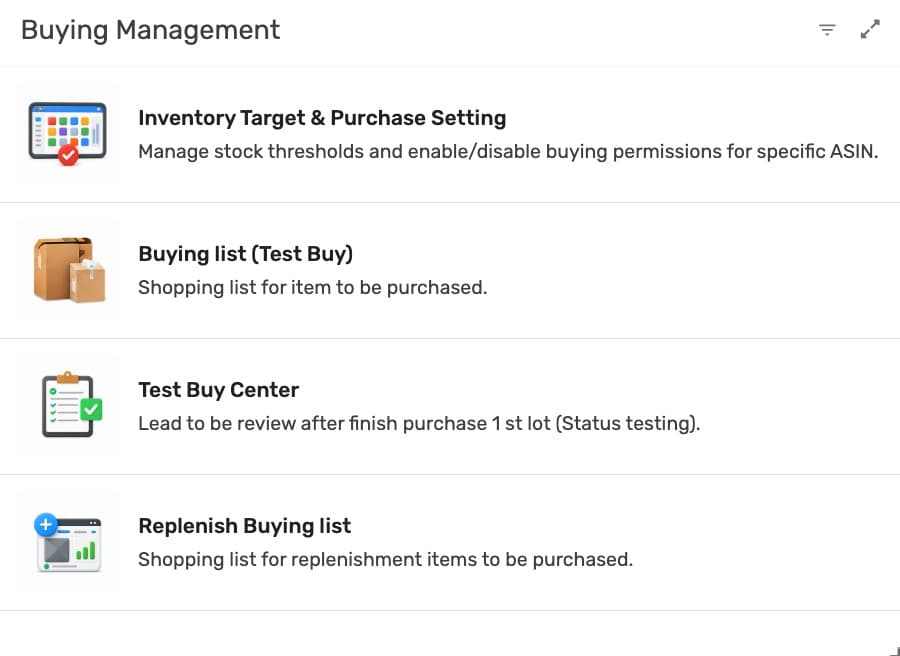
Validate new products with structured test purchases before scaling. Track results and make confident decisions.
Operational Procurement
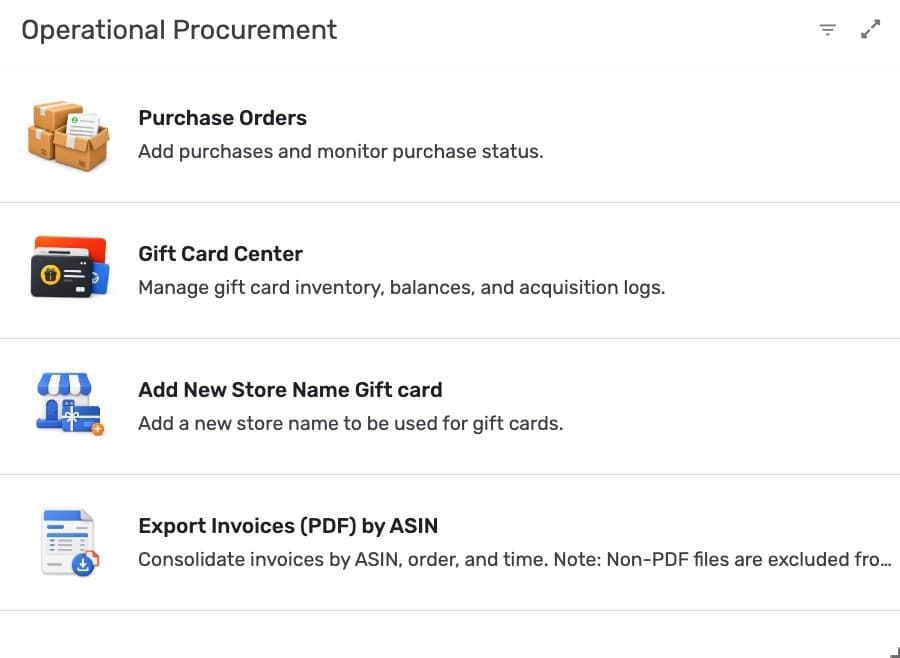
Manage purchasing, inventory planning, and replenishment in one streamlined workflow.
Supply Chain & Logistics
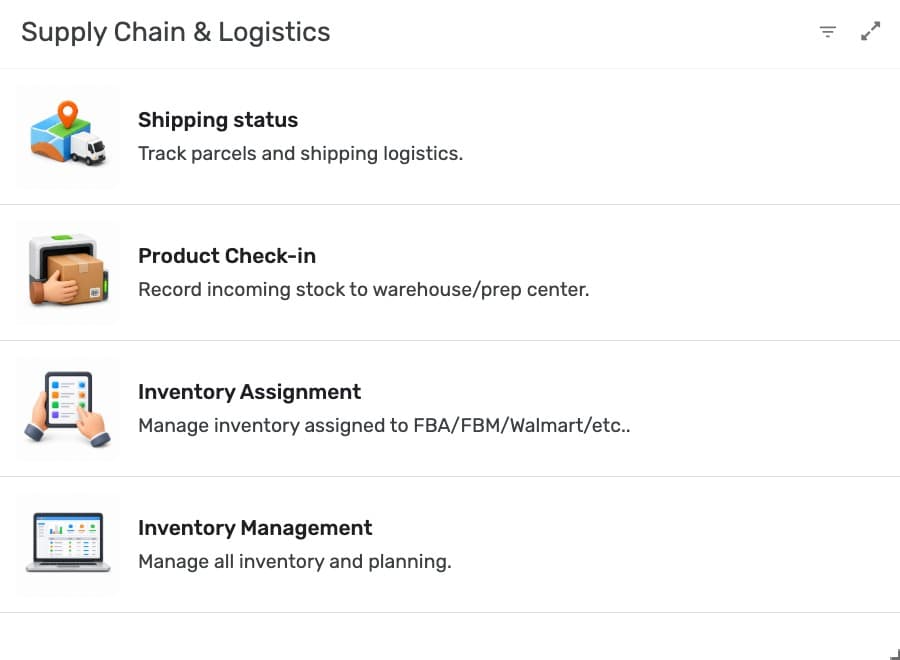
Track shipments, manage inventory, and stay in control across your fulfillment channels.
Operations & Execution
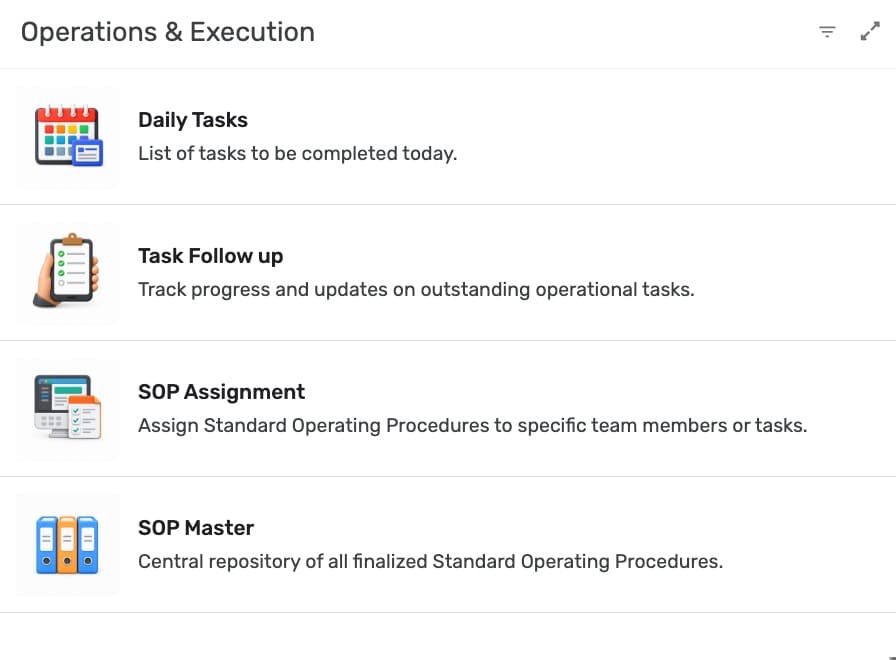
Manage daily operations, streamline workflows, and keep your team aligned.
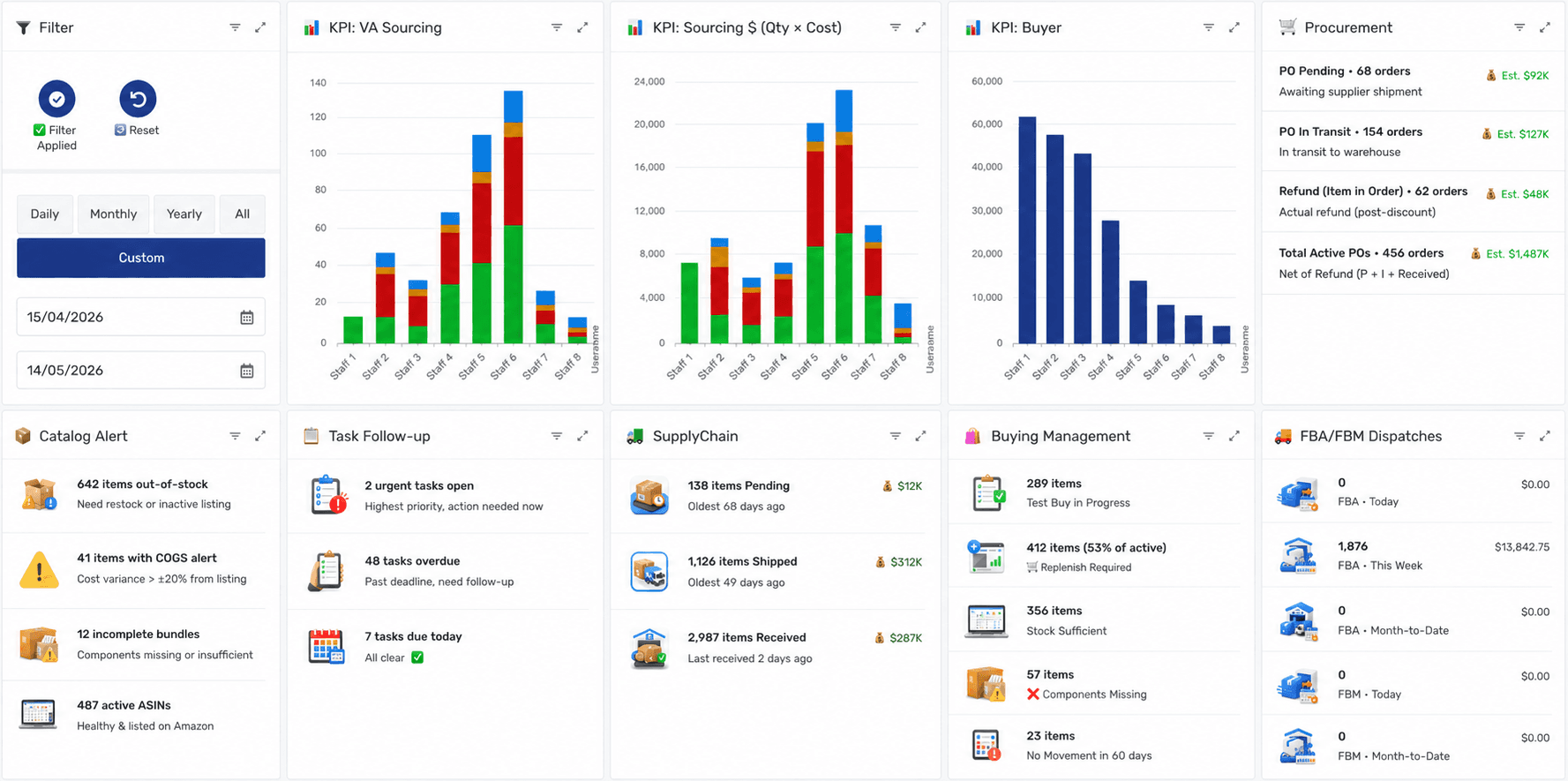
One System, Not Fifteen Tabs
Your whole Amazon operation, in one dashboard.
AMS Operation brings your entire Amazon workflow into one purpose-built dashboard. From the first product-research lead to the final FBA delivery, you get full visibility and control — without juggling spreadsheets.
One source of truth
Replace 15 scattered Google Sheets with one structured system every ASIN, PO, and shipment lives in.
Less manual busywork
Track PO creation, restock plans, and team tasks in one place instead of chasing updates across tabs.
Costs and sales, organized
Track your item costs in the app and see your daily and monthly sales on the dashboard — no spreadsheet exports.
Also included with your plan
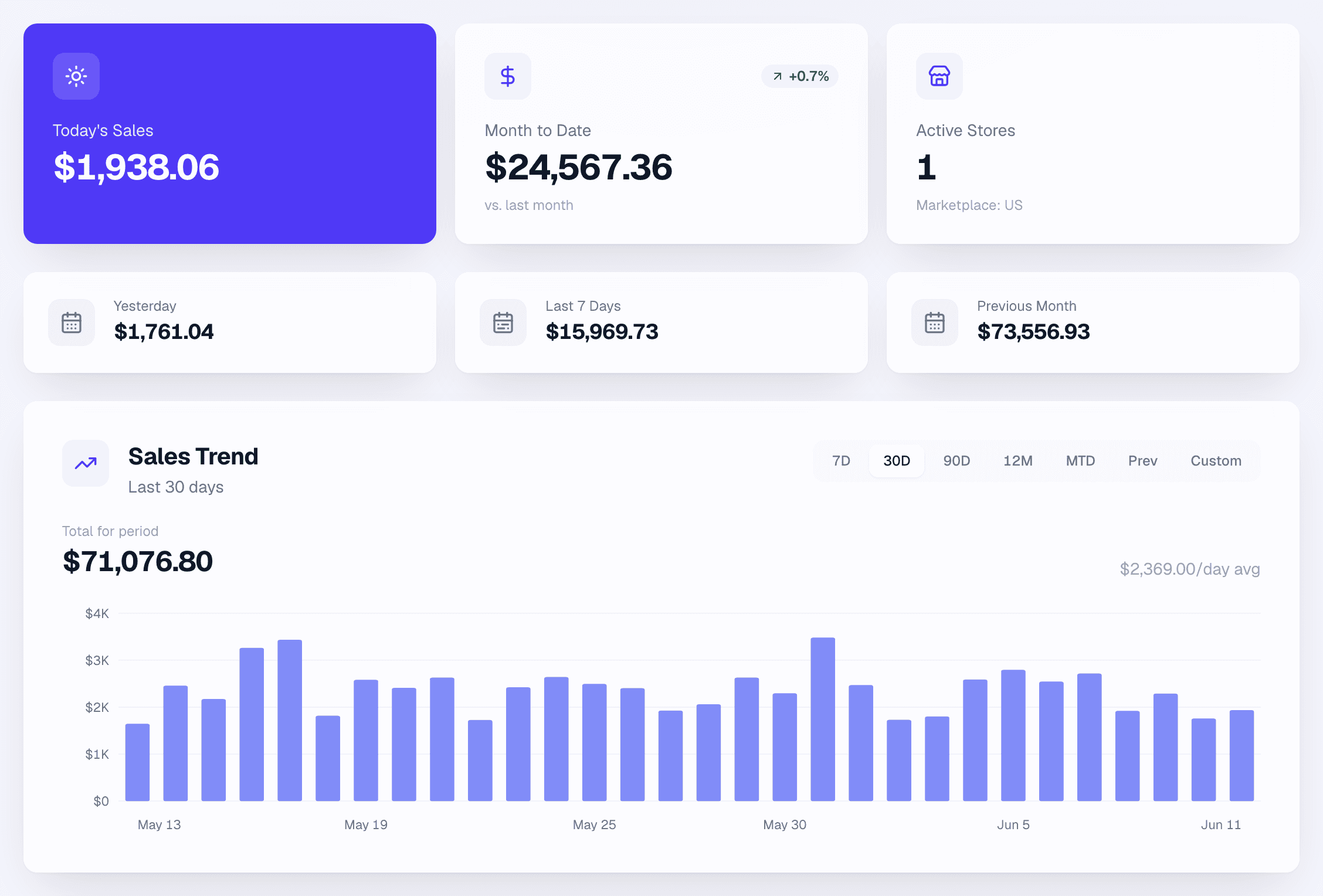
Your sales, live on the web.
The software runs your operation — the web Sales Dashboard shows the money. Daily and monthly sales pulled straight from Amazon, in a clean view you open right in your web browser.
Official Amazon data, synced daily
Connected to Seller Central through Amazon's official SP-API — your sales appear without manual exports.
Every day, inspectable
Hover any bar for that exact day’s sales, and switch between 7-day, 30-day, and 12-month views in one click.
In your browser, on any device
Separate from the operations software — log in at amsoperation.com from any web browser to check the numbers.
AMS Software questions
Will this replace all 15 of my spreadsheets on day one?
It replaces the operational core — research, ASINs, POs, shipments, invoices, and team tasks — with one connected system, so the scattered sheets that track those stop being your source of truth. Start by moving one workflow over (POs are a common first win), then bring the rest across as you go. You don't have to migrate everything at once to feel the difference.
How does it connect to my Amazon account?
Through Amazon's official Selling Partner API (SP-API), which syncs your own inventory, orders, and listings, and a post-login Sales Dashboard shows your daily and monthly sales. It's the same official integration path Amazon provides to approved tools — not screen-scraping or sharing your password around. AMS only synchronizes and manages your own Seller Central data.
Does it work for FBM, or just FBA?
Both. The operational backbone — research, ASINs, POs, shipments, invoices, tasks, and the dashboard — applies whether you're FBA, FBM, or running a mix. It's built around how an Amazon business actually operates, not just one fulfillment method.
What does it cost, and can I try it first?
Plans start at $69/mo (Starter). New customers get a 7-day free trial — cancel anytime during the trial and you won't be billed. (Returning accounts are billed at checkout.) You can see whether one connected system beats your spreadsheets before you commit to a month.
Explore the rest of the ecosystem
AMS Admin Service
A trained Amazon operations admin monitors your account health, cases, and shipments every business day — and tells you what changed before it costs you the Buy Box. Done-for-you, from $289/mo. Starts right away — cancel within 7 days for a 75% refund. Minimum 2-month commitment.
Learn moreAMS Sourcing Service
A dedicated sourcing VA does the product research, runs the numbers after FBA fees, and hands you validated opportunities with daily and weekly reporting. You decide what to buy. We do the digging. From $579/mo.
Learn moreAMS Bookkeeping Service
We record your income and expenses, organize every receipt, reconcile your accounts, and handle your tax and government filings — so you finally know your numbers and never panic at deadline again. From $179/mo.
Learn moreGet your operation onto one screen
Start your 7-day free trial of AMS Software — cancel anytime during the trial. New customers only; plans from $69/mo. Stop reconciling spreadsheets and start running your Amazon business from a single source of truth.
7-Day Free Trial (AMS Software, new accounts) · Minimum 2-month commitment